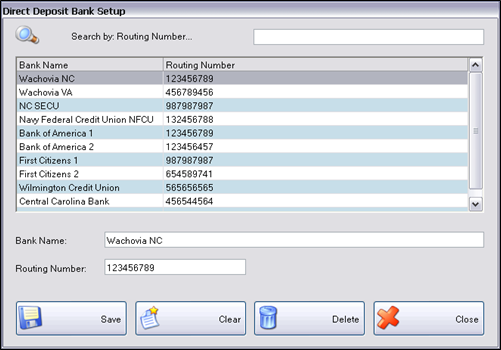
Direct Deposit Bank Setup sets up the Employees’ direct deposit banks. Direct Deposit Banks must be set up here before they can be selected on the Employee’s Personal tab.
The Direct Deposit Bank Setup section is used for preparing a list of bank routing numbers. This allows you to only enter the direct deposit information once instead of multiple times. Once the routing numbers are set up, they are selected from the dropdown list in the Employee Job.
Complete the following form to setup Direct Deposit Banks:
To set up a new Direct Deposit Bank, select Clear to clear the fields.
The Routing Number field will not be editable if there is an Employee using that bank direct deposit information.
©2018 EMS LINQ, Inc.
Payroll, revised 1/2018